This story contains Amazon affiliate links. If you buy through them we may earn a small commission at no extra cost to you. Availability changes, so check Amazon for current details.
Snap Circuits is one of those gifts that dads tend to get just as excited about as the kids. You open the box, snap a few pieces onto the grid, flip a switch, and a light turns on or a fan spins. That first "it works!" moment is a big deal for a kid, and it's a great reason to sit down on the floor together on Christmas afternoon.
The tricky part is picking a kit. There are starter sets, bigger sets, and themed sets, and the boxes all look pretty similar. This guide walks you through how to choose the right Snap Circuits kit for your kid's age and experience, so you buy the one they'll actually use instead of one that's too easy or too frustrating.
What Snap Circuits actually is
Snap Circuits kits teach basic electronics without soldering, loose wires, or tools. Each part, like a wire, switch, light, motor, or speaker, sits on a plastic piece with snaps on the ends. Kids follow a numbered project manual, snap the parts onto a base grid, and build real working circuits. Once they get the hang of it, many kids start changing the projects or making up their own.
A few things make it a good gift:
- No soldering and no screwdriver. Everything snaps together by hand, so kids can do it themselves.
- The manual does the teaching. Projects start simple and slowly add new ideas, so kids build skills step by step.
- It's screen-free. It's hands-on building with a real result, not another app.
- It grows with them. Once a kid finishes the starter set, bigger kits add more parts and more projects.
Always check the age label on the box you're buying and read the safety notes in the manual. The kits run on regular batteries, and you'll want a set on hand for Christmas morning.
Step 1: Start with your kid's age
The age label is the best first filter. Here's a simple way to think about it.
Ages 5 to 7: build it together
Most Snap Circuits kits are labeled for older kids, so a five- to seven-year-old will need a grown-up next to them. That's not a bad thing. If your kid loves building and asking "how does that work?", a starter kit can be a great dad-and-kid project. You read the diagram, they find the parts and snap them in. Keep sessions short and let them flip the switch.
If your little one isn't ready for wiring diagrams yet, a simpler building gift might be a better fit this year. Our guide to STEM gifts for 5-year-olds has easier options.
Ages 8 to 10: the sweet spot
This is where Snap Circuits really shines. The Snap Circuits Jr. kit is labeled ages 8+, and most kids this age can follow the manual on their own after you help with the first few projects.
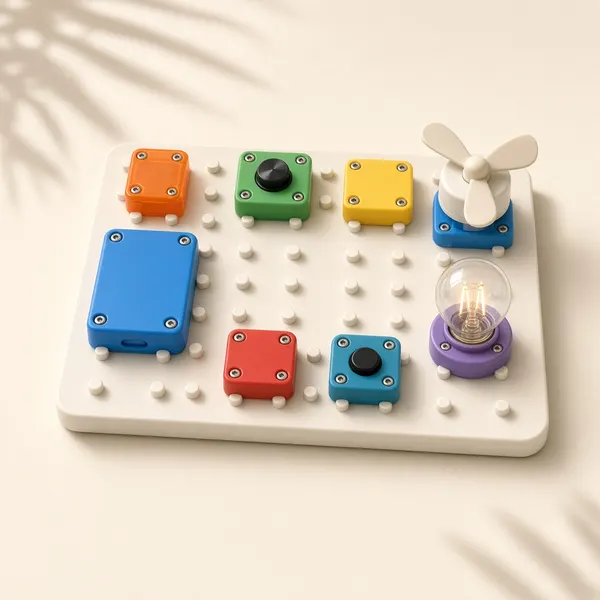
Snap Circuits Jr. SC-100 Electronics Kit
The classic starter kit and the one we'd buy first. Snap Circuits Jr. is labeled ages 8+. Parts snap onto a base grid with no soldering and no tools, and the manual takes kids from simple circuits to bigger builds. If your kid has never tried Snap Circuits, start here.
View on AmazonAges 10 to 12: think about a bigger kit
Older kids who already know the basics, or who blow through projects fast, may be ready for a larger set right away. Bigger kits add more parts and longer, more complex projects. If they've never used Snap Circuits before, the starter kit is still a safe choice, and you can always step up next birthday.
Bigger Snap Circuits kits
Larger sets with more parts and more projects. A good next step for kids who finished the starter kit or older kids who want more of a challenge.
Browse on AmazonStep 2: Think about experience, not just age
Age is a starting point, but experience matters just as much. Ask yourself a few questions:
- Have they built with kits before? Kids who love LEGO sets with instruction booklets usually take to the Snap Circuits manual quickly.
- Do they like reading diagrams? The projects are shown as pictures of the board. Some kids love that, and others need help at first.
- How do they handle frustration? Sometimes a circuit doesn't work the first time and you have to check each piece. A kid who gives up fast will do better with a grown-up nearby, at least at the start.
- Do they already own a kit? If they finished one, a bigger set or a themed kit makes a great follow-up gift.
Dad tip: do the first three projects together
Before you hand the box over, sit down and build the first few projects together. Show them how to match the numbers on the parts to the picture in the manual, and how to check each connection when something doesn't light up. After that, step back and let them lead. You'll be surprised how fast they take over.
Step 3: Starter kit or bigger kit?
Here's a simple way to decide.
Buy the starter kit (Snap Circuits Jr.) if:
- This is their first electronics kit.
- They're 8 to 10, or younger and building with you.
- You're not sure yet if they'll love it.
- You want a solid gift that isn't a huge commitment.
Buy a bigger kit if:
- They already have the starter kit and finished most of it.
- They're 10 or older and love hands-on science.
- They want longer, more challenging projects.
Many larger kits are built to work alongside the starter set, but check the product description on Amazon to confirm before you buy.
Step 4: Consider a themed kit
Snap Circuits also makes themed kits that focus on one kind of project, like lights, sound, or motion. These are fun if your kid has one big interest. A kid who loves music might enjoy a sound-focused kit, and a kid who loves things that glow might love a light-focused one.
Light-themed Snap Circuits kits
Glowing projects that look extra cool in a dark room. A fun pick for kids who love lights and colors.
Browse on AmazonSound-themed Snap Circuits kits
Projects built around speakers and sounds. A good match for kids who love music or making noise.
Browse on AmazonThemed kits work well as a second Snap Circuits gift, after a kid has learned the basics on a starter set.
Making it a dad-and-kid project
The best part of Snap Circuits is that it's easy to do together. A few ideas:
- Make it a weekly thing. Pick one evening a week for "circuit night" and build two or three projects together.
- Let them teach you. Once they're comfortable, ask them to explain how a project works. Teaching is one of the best ways to learn.
- Keep a project log. A simple notebook where they check off each finished project gives them a sense of progress.
- Get creative. After a while, challenge them to change a project, like adding a second light or swapping a switch, and see what happens.
If you like building with your kids, our list of gifts dads can build with their kids has more ideas.
What to buy with it
A few small add-ons make Christmas morning smoother:
- A pack of AA batteries so they can start building right away. Check the box for the battery type your kit needs.
- A storage bin with a lid to keep loose parts together. The kit's box can wear out with heavy use.
- A science notebook for a project log or their own circuit ideas.
Other STEM gifts if Snap Circuits isn't the right fit
Snap Circuits isn't for every kid, and that's fine. If your kid is more of a builder than a tinkerer, these are great alternatives:
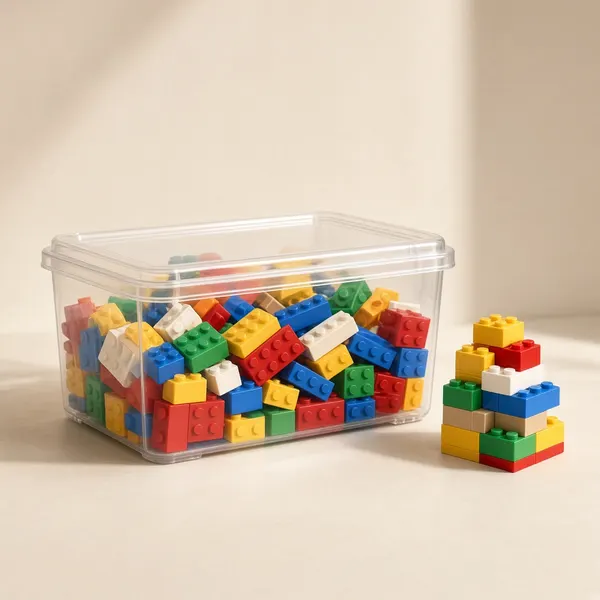
LEGO Classic Large Creative Brick Box (10698)
Open-ended building with no instructions required. A good fit for creative kids who like to invent their own builds.
View on Amazon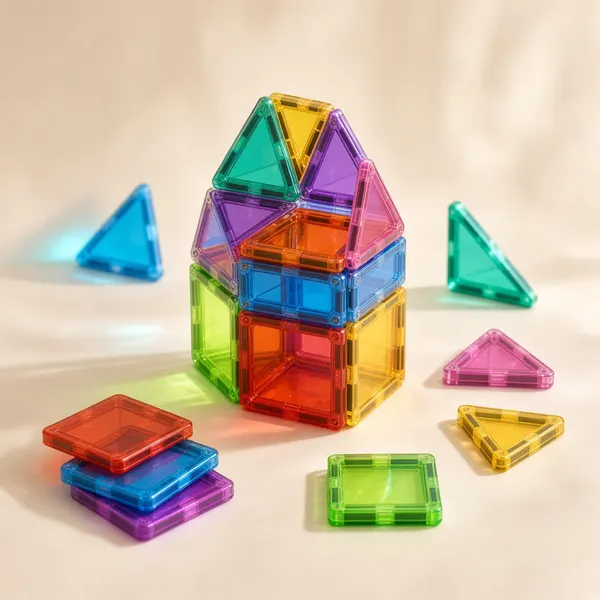
MAGNA-TILES Classic 100-Piece Set
Magnetic tiles are a great building gift for younger kids who aren't ready for electronics yet, and older siblings often join in.
View on AmazonFor more ideas, see our guide to the best STEM gifts for kids 8-10.
Frequently asked questions
What age is Snap Circuits for?
It depends on the kit. Snap Circuits Jr. is labeled ages 8+. Younger kids can enjoy it with a grown-up helping, and older kids can work through it on their own. Always check the age label on the specific kit you buy.
Which Snap Circuits kit should I buy first?
For most kids, the Snap Circuits Jr. starter kit is the best first pick. It teaches the basics and gives them a good feel for how the system works. If they love it, you can step up to a bigger kit later.
Do Snap Circuits kits need batteries?
Yes. The kits run on regular batteries that are usually not included, so check the box and have the right batteries ready before Christmas morning.
Can a 6-year-old use Snap Circuits?
Many six-year-olds can enjoy Snap Circuits with a parent building alongside them. Since the starter kit is labeled ages 8+, plan on helping with reading the diagrams and checking connections.
Can different Snap Circuits kits be used together?
Many kits are designed to work with each other, so parts from one set can often be used with another. Check the product details on Amazon to confirm a specific kit is compatible before you buy.
The bottom line
If you're asking which Snap Circuits kit to buy, the answer for most families is simple: start with Snap Circuits Jr. It's the right level for kids around 8 to 10, it's a great build-together project for younger kids, and it gives you a clear next step if they fall in love with it. Add a pack of batteries, block off an afternoon, and get ready to hear "Dad, come look at this!"
Best STEM Gifts for Kids 8-10
Electronics kits, serious building sets, beginner coding, real science kits, and sky-watching gear for 8- to 10-year-olds who want to know how everything works.
Read the guide →STEM Gifts for 5-Year-Olds
Building sets, beginner coding toys, kid-safe science kits, and nature tools that turn a 5-year-old's endless "why?" into real hands-on play.
Read the guide →Best First LEGO Set for a 5-Year-Old: A Dad's Buying Guide
Five is a great age for a first real LEGO set, but the aisle is overwhelming. Here's how to pick one your kid can actually build, and enjoy building with you.
Read the guide →