This story contains Amazon affiliate links. If you buy through them we may earn a small commission at no extra cost to you. Availability changes, so check Amazon for current details.
The Toniebox shows up on a lot of Christmas lists, and it's easy to see why. It's a soft little speaker cube that plays stories and songs when your child sets a character figure on top. No screen, no tiny buttons, no app for your kid to wander off in. But it's also a gift that keeps asking for add-ons, so it's fair to wonder if it's really worth it.
This guide walks through how the Toniebox works, which kids get the most out of it, what to budget for, and a few alternatives if it isn't the right fit. By the end you should know whether it belongs under your tree.
What is a Toniebox, exactly?
A Toniebox is a screen-free audio player made for young kids. The box itself is a padded cube with two "ears" on top. Each story or song collection lives on a figure called a Tonie. Your child places a Tonie on top of the box and it starts playing. Lift the figure off and it pauses. Put it back and it picks up where it left off.
Kids control it with simple moves:
- Squeeze the ears to change the volume. The big ear turns it up and the small ear turns it down.
- Tap the side of the box to skip forward or back between tracks.
- Tilt the box to fast-forward or rewind within a track.
There's also a headphone jack, so it can work for car rides or a shared bedroom.
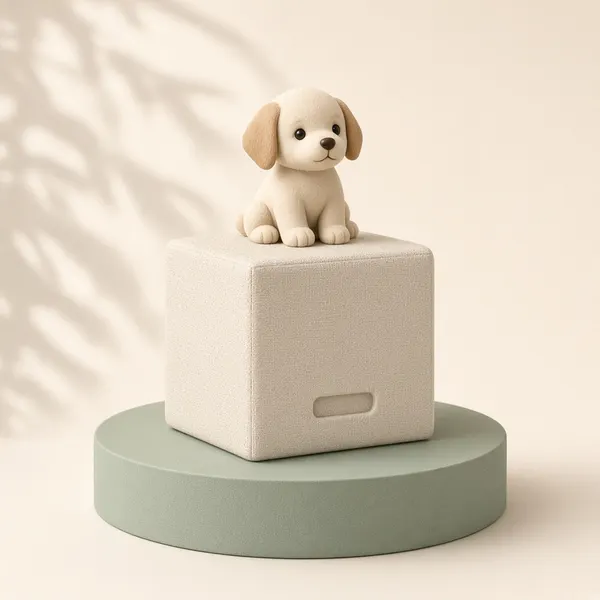
Toniebox Starter Set with Playtime Puppy
This starter set comes with the box and a Playtime Puppy figure, so it's ready to go on Christmas morning once you've set it up. A good fit for kids who love stories and songs and want to be "in charge" of what plays.
View on AmazonWhy parents love it
Kids can run it on their own
This is the big one. A toddler or preschooler can't really work a phone or a smart speaker by themselves, but they can put a figure on a box. That independence is a huge part of the appeal. Your child picks the story, starts it, and turns it off, all without asking you for help.
It's screen-free
The Toniebox gives kids something to listen to without a tablet. For families trying to cut back on screen time, it's an easy swap during quiet time, in the car, or while you make dinner. If you're building a whole screen-free list, our guide to screen-free gifts for toddlers has more ideas.
It works for bedtime and quiet time
Lots of families use the Toniebox as part of the bedtime routine. A calm story or soft songs can help kids wind down, and you decide which figures live in the bedroom. Many parents also keep a few "quiet time" Tonies for afternoons when a nap isn't happening anymore.
You can record your own audio
Creative-Tonies are blank figures you can load with your own content through the Tonies app. Families use them for recordings of grandparents reading bedtime stories, a parent singing a lullaby, or a deployed parent's voice. This is one of the sweetest ways to use the box, and it makes a lovely gift from faraway relatives.
The downsides to know before you buy
The figures add up
The box comes with only one or a few figures, depending on the set. Most kids want more, and each new character is an extra purchase. This is the main reason some parents feel it's "not worth it." The fix is to plan ahead: decide on a small starter collection and use birthdays and holidays to add figures over time. Grandparents and aunts love having an easy gift idea.
It needs Wi-Fi for setup and new figures
You'll set up the box with Wi-Fi and the Tonies app, and new figures need a connection the first time they're played so the content can download. After that, the content is saved on the box, so it plays fine in the car or on a trip. Do the setup before Christmas morning so your child isn't waiting while it connects.
It's not a tiny-baby toy
Check the age label on the listing before you buy. The figures are small enough that you'll want to watch younger toddlers closely, and babies won't get much out of picking stories yet. Many families find the sweet spot starts in the toddler and preschool years and keeps going into early elementary school.
Kids can outgrow the content
A 6- or 7-year-old who's reading on their own may move on to longer audiobooks. The good news is that there are figures for older kids too, plus Creative-Tonies, so it can stretch further than you'd expect.
Who is the Toniebox best for?
The Toniebox tends to be a great pick if:
- Your child loves stories, songs, or being read to.
- You want a screen-free way for them to enjoy audio on their own.
- You need help with quiet time or bedtime routines.
- You have relatives who want gift ideas, since figures make easy add-ons.
- You like the idea of recorded messages from family.
It might not be the best pick if your child isn't very interested in listening, if you'd rather not keep buying add-ons, or if your home doesn't have reliable Wi-Fi for setup.
How to make the Toniebox worth it
A few simple choices make a big difference in how much use you get out of it:
- Start with characters your child already loves. A familiar favorite gets played far more than a random pick.
- Mix stories and music. Songs are great for dancing and car rides, and stories are better for winding down.
- Add one Creative-Tonie. Ask grandparents or other relatives to record a few stories. Kids love hearing a familiar voice.
- Get a carrying case if you travel. It keeps the box and figures together so nothing goes missing on the road.
- Rotate the figures. Put some away for a few weeks, then bring them back out. Old favorites feel new again.
- Set a volume limit. The app lets parents set a maximum volume, which is great for shared rooms and car rides.
Here are some easy add-ons to look at:
Tonie character figures
Stories and songs from characters kids already know. Pick a few favorites to start the collection.
Browse on AmazonToniebox carrying cases
Holds the box and a few figures for trips to grandma's and long drives.
Browse on Amazon- A Tonie display shelf keeps figures off the floor and makes cleanup a game.
- Volume-limited kids' headphones are handy for car rides and shared bedrooms.
Toniebox alternatives to consider
If the Toniebox doesn't feel like the right fit, there are other screen-free ways to bring stories and songs into your child's day.
- Other screen-free kids' audio players work in a similar way, with cards or buttons instead of figures. Compare how content is added and what extras cost before you choose.
- Read-along books with audio pair a printed book with narration, which is great for early readers.
- A kids' sound machine with a night light can help with the bedtime routine if that's your main goal.
- Sound books for toddlers are a lower-cost option for younger kids who love pressing buttons while you read together.
If your main goal is quiet, hands-on play rather than listening, take a look at our guide to quiet toys for toddlers.
Toniebox gift ideas by age
- Toddlers: a starter set plus a song-based figure for car rides and dance parties. Supervise younger toddlers with the small figures.
- Preschoolers (3 to 5): add story figures from favorite characters and a Creative-Tonie from grandparents.
- Early elementary (5 to 7): look for longer stories, learning content, and audiobook-style figures for quiet time.
Want to round out the gift? Pair the Toniebox with a cozy reading buddy.
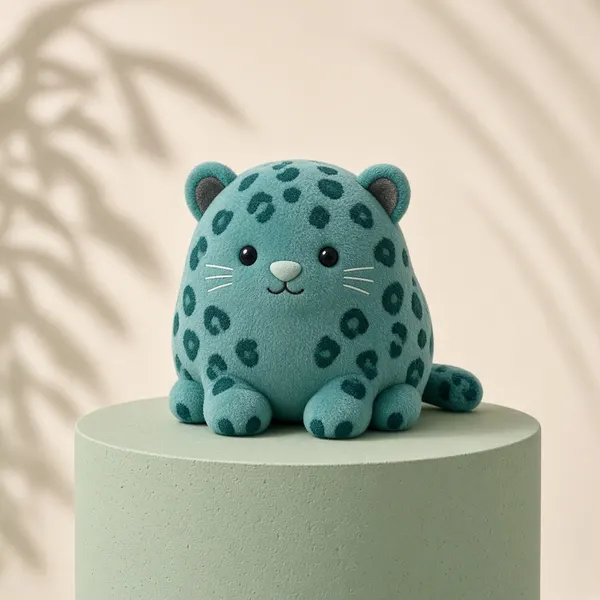
Squishmallows Official 16" Liv the Teal Leopard
A big, soft plush makes a great listening buddy for quiet time and bedtime stories. This one is labeled ages 3+, so check the label for your child's age.
View on AmazonFrequently asked questions
Is the Toniebox worth it for a 2-year-old?
It can be, especially for toddlers who love songs and being read to. Check the age label on the listing and keep an eye on small figures with younger toddlers. Many families find kids use it even more as they head into the preschool years.
Does the Toniebox need Wi-Fi?
You need Wi-Fi to set it up and to download a new figure's content the first time it's played. After that, the content is stored on the box, so it can play without Wi-Fi in the car or on vacation.
How many Tonies does a child need?
There's no magic number. A handful of figures your child truly loves, with a mix of stories and music, is usually plenty to start. Add more slowly for birthdays and holidays so the box always has something new.
Can I put my own stories on a Toniebox?
Yes. Creative-Tonies let you upload your own recordings or audio through the Tonies app, so family members can read stories or record messages for your child.
What should I buy with a Toniebox for Christmas?
A few extra figures your child will recognize, a Creative-Tonie for family recordings, and a carrying case if you travel are the most useful add-ons.
The bottom line
The Toniebox is worth it for kids who love stories and songs and for families who want a screen-free audio option kids can run themselves. The trick is to treat it like a slow-growing collection rather than one big gift. Start with the starter set and a few favorite characters, set it up before Christmas morning, and let relatives add figures over time.
For more gift ideas, browse our toddler gift guide and our gift guide for ages 3–5. You can also see Toniebox starter sets on Amazon.
Montessori-Style Christmas Gifts for Toddlers
Simple wooden toys, real-life helper tools, and hands-on puzzles that let toddlers do things for themselves, the heart of Montessori play.
Read the guide →
Quiet Toys for Toddlers (No Batteries, No Noise)
Battery-free puzzles, stackers, busy boards, soft books, and calm pretend play that keep toddlers busy without flashing lights or songs on repeat.
Read the guide →
Best Screen-Free Gifts for Toddlers
Ride-ons, screen-free audio, stacking and sorting toys, pretend play, and first art supplies that keep toddlers busy, happy, and off the tablet.
Read the guide →